


AUDECOM
AUDECOM
100 in stock
AUDECOM is an intelligent comparative auditory system demonstration and adjustment system designed for hearing care professionals. It provides real-time, software-guided comparisons of up to three hearing-aid systems using surround sound samples, enabling customers to directly hear and choose the device and performance class that best fits their daily needs. AUDECOM speeds consultations, clarifies differences in speech, music, and noise handling, and supports objective, customer-led device selection.
What's Included?
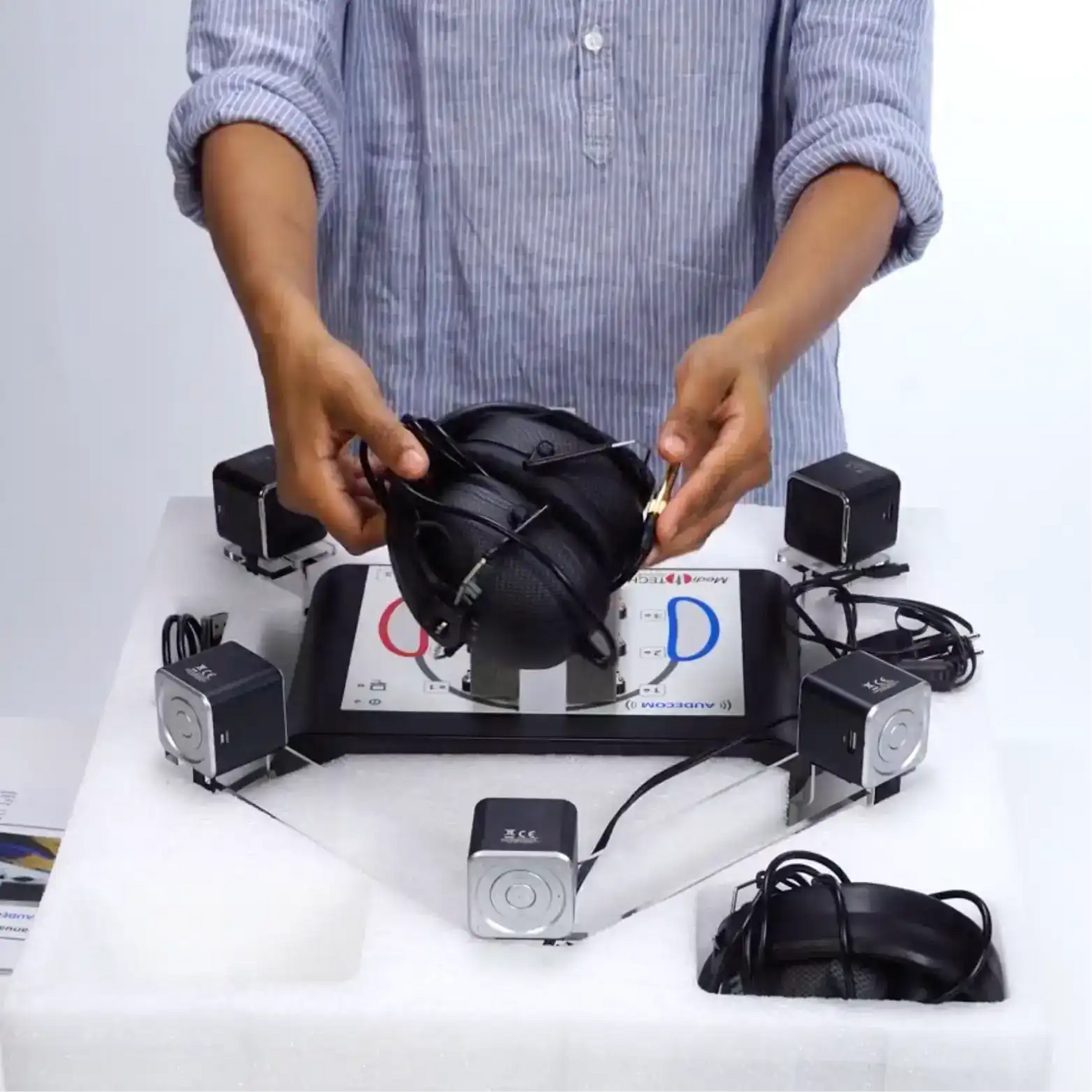
- AUDECOM device (main unit) · Tablet/ dual screen (customer/expert interface)
- 12 V MT plug-in power supply (type FW7556M/12)
- 5 active loudspeakers (USB rechargeable)
- USB connection cable for PC
- 2 closed-ear headphones (3.5 mm / 6.35 mm options)
- AUDECOM PC software with a single license
- Plug-in acoustic shadow (Plexiglas®) and Plexiglas® device holder
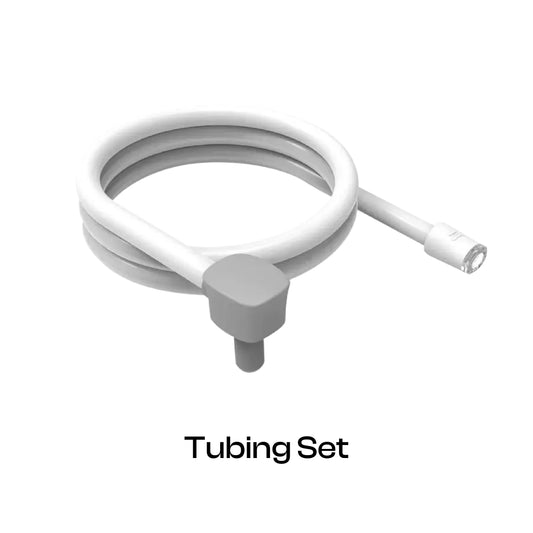
- Silicone hoses for HDO and RIC devices (6 each)
- Foam holders for RIC devices (2)
- Custom 3-part transport box
- Usage manual




Product Features
How does AUDECOM work?
- Connect AUDECOM to the computer via USB and plug in the supplied 12 V power supply.
- Start AUDECOM software on Windows® 7 or higher and select the manufacturer for package and sound samples.
- Attach hearing systems (HDO or RIC) to the silicone hoses and connect to the device jacks.
- Seat the customer in front of the unit, fit the headphones, and set the comfortable headphone volume.
- Let the customer toggle between the three devices using the hardware keys; mini lamps indicate the active system.
- Play curated surround-sound samples (speech, music, wind, noise environments) and let the customer compare performance.
- Use the printed assessment form for ratings and notes; refine settings after device selection.
Key features of AUDECOM
- Simultaneous 3-device comparison: Real-time, software-guided A/B/C listening with hardware toggle and indicator lights.
- Surround sound simulation: Five speaker scenes for speech, noise, wind, and music to mimic real-world environments.
- Customer-led control: Patients switch devices themselves; caregivers can listen and participate.
- Dual views: Expert (clinician) and Customer (patient) screens with optional dual monitor mode and printable feedback.
- Favorites & presets: Save/load custom sound sample sets and manufacturer packages to standardize workflows.
- Manufacturer management & private labeling: Reorder/hide/add brands; private label support available.
- Portable, plug-and-play hardware: Compact AUDECOM unit, Plexiglas acoustic shadow, rechargeable speakers, transport case; easy clinic or mobile setup.
- Simple Windows setup: Minimal PC requirements; USB multi-channel audio configuration and guided installation.
- Assessment & documentation: Integrated printable assessment forms and archived session notes for follow-up.
- Safe, serviceable design: Dedicated 12 V supply; replaceable cushions for headphones; authorized service only.
Clinical Uses of AUDECOM
- Purchase decision support: Demonstrate audible differences across performance classes to speed buying.
- Real-world benefit assessment: Test speech in noise, wind noise suppression, and music fidelity to match daily needs.
- Faster consultations: Move from demonstration to selection and documentation on one visit.
- Expectation setting & training: Prepare patients for adaptation and fine-tuning after selection.
- Documented fittings & longitudinal tracking: Capture structured forms and session archives for follow-up adjustments.
- Sales, training & branding: Staff demos, manufacturer presentations, and private label content for marketing and training.
- Mobile and outreach deployment: Field ready for community screenings, mobile audiology, and on-site demos.
- Caregiver-supported sessions: Collaborative selection and reassurance for elderly or dependent patients.
Who's the candidate?
- Hearing-care customers: Individuals evaluating new hearing aids who want side-by-side, real-world comparisons to choose the best performance class.
- First-time users: People new to hearing aids who need quick, guided demonstrations and an easy interface to decide what feels natural.
- Audiologists and acousticians: Clinicians who require an objective demo tool to support device selection, fine-tuning, and documented fittings.
- ENT clinics: ENT practices that want efficient hearing-aid demonstrations, improved patient engagement, and faster, evidence-based purchase decisions.
- Primary care settings: General practitioners and clinics need a simplified screening/demo tool for early comparisons before specialist referral.
- Mobile audiology services: Field teams and outreach programs that require a compact, travel-ready system with easy setup for community visits.
- Sales teams and manufacturer representatives: Professionals demonstrating product differences in clinics, retail sites, or events to aid conversions and training.
- Clinics standardizing workflows: Practices aiming to reduce fitting indecision with reproducible demo protocols and shared favorites libraries.
- Caregiver-supported sessions: Elderly or dependent patients who benefit from collaborative selection with caregivers present for reassurance and decision support.
- Rehabilitation and follow-up monitoring: Patients undergoing auditory rehabilitation or post-fitting fine-tuning who need longitudinal tracking and comparison.
- Portability: Portable, travel‑ready design enables community screening, mobile audiology visits, and consistent field demonstrations.
- Business and branding use: Clinics that maintain manufacturer-specific demo content, private-label branding, and tailored customer experiences.
Quick setup and system requirements (minimum)
- Processor: 1.8 GHz dual-core or higher
- RAM: 2 GB (Windows® 7 or higher)
- Disk: 1.5 GB free
- Screen: 1024 × 768
- Peripherals: USB port, mouse, keyboard, CD/DVD drive (for installer)
- Required programs: Windows Media Player, Adobe Acrobat Reader
Safe operation and maintenance (highlights)
- Use AUDECOM only in dry rooms; avoid contact with liquids and aggressive cleaners.
- Only use the supplied 12 V power supply (FW7556M/12).
- Do not open the device's housing; warranty and liability become invalid if opened.
- Clean housing and headphones with a lint-free cloth and appropriate disinfectant per manufacturer's instructions; replace foam cushions between users.
- Store in the supplied transport case at room temperature; switch speakers off when idle to preserve battery charge.
- Do not attempt to repair the device yourself; contact Taevas for service.
FAQs
What is AUDECOM?
AUDECOM is a hearing aid demonstration and comparison system that allows customers to listen to and compare up to three hearing-aid devices using surround-sound samples and intuitive hardware controls.
How does AUDECOM help me practice?
It simplifies the hearing aid selection process, reduces consultation time, makes device differences clearer to customers, boosts purchase confidence, and supports structured documentation for follow-up fittings.
What tests and samples are available?
AUDECOM includes curated sound samples such as speech, music, background noise, and wind noise. Users can also create favorites for scenario‑specific demonstrations.
Does AUDECOM require special hardware?
Yes. AUDECOM includes all required accessories like power supply, loudspeakers, headphones, silicone hoses, a Plexiglas acoustic shadow, and a USB cable. Only the supplied power adapter should be used.
Can I customize manufacturers or private label the software?
Yes. You can reorder or hide manufacturers using Manufacturer Management. For private labeling, Taevas provides secure passwords and support upon request.
What if sound samples don’t play?
Check loudspeaker LED indicators, power and volume settings, ensure AUDECOM is connected to the PC, and verify it is selected as the audio device in the USB multi‑channel audio driver.
What training is required?
Basic training is sufficient. Refer to the Usage Manual for installation and setup. Manufacturer support and updates are also available.
What PC specs are required?
AUDECOM works on Windows 7 or newer, with a 1.8 GHz dual‑core CPU, 2 GB RAM, 1.5 GB storage, 1024×768 display, USB port, and Windows Media Player and Adobe Acrobat Reader installed.
How do I update AUDECOM software and manufacturer packages?
AUDECOM supports automatic updates when connected to the internet. Manual updates can be performed through Settings > Content update.
How should I clean and disinfect the device?
Use a lint‑free cloth and approved disinfectant. Replace foam cushions between users. Avoid alcohol, water immersion, abrasive cleaners, or ultrasound baths.
What to do if the program does not start or sound plays without audio?
Ensure AUDECOM is connected and powered on, confirm correct audio device selection (USB multi‑channel audio), check speaker LEDs and volume, and restart the PC if needed.
What are the service and warranty rules?
Repairs should only be performed by Taevas or authorized personnel. Opening the housing voids the warranty. Taevas provides technical support, spare parts, and servicing through official channels.

AUDECOM

AUDECOM
AUDECOM is an intelligent comparative auditory system demonstration and adjustment system designed for hearing care professionals. It provides real-time, software-guided comparisons of up to three hearing-aid systems using surround sound samples, enabling customers to directly hear and choose the device and performance class that best fits their daily needs. AUDECOM speeds consultations, clarifies differences in speech, music, and noise handling, and supports objective, customer-led device selection.
What's Included?
· AUDECOM device (main unit) · Tablet/ dual screen (customer/expert interface)
· 12 V MT plug-in power supply (type FW7556M/12)
· 5 active loudspeakers (USB rechargeable)
· USB connection cable for PC
· 2 closed-ear headphones (3.5 mm / 6.35 mm options)
· AUDECOM PC software with a single license
· Plug-in acoustic shadow (Plexiglas®) and Plexiglas® device holder
· Silicone hoses for HDO and RIC devices (6 each)
· Foam holders for RIC devices (2)
· Custom 3-part transport box
· Usage manual